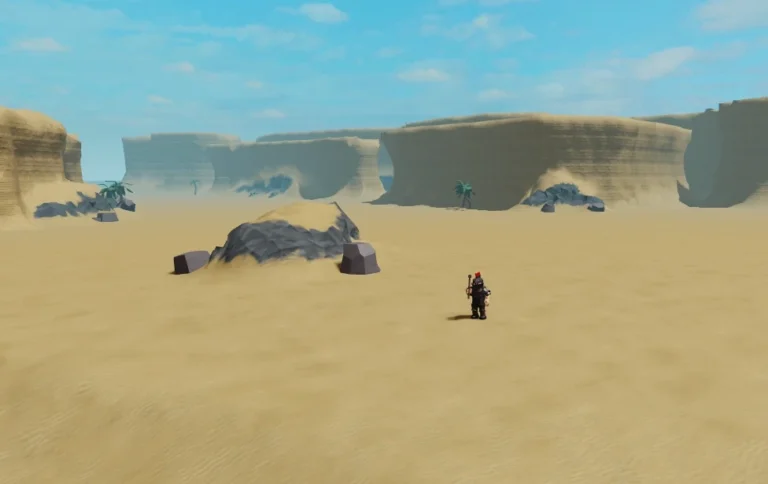
Grow a Garden 2 Script
Grow a Garden 2 Script is a Lua-based Roblox script designed for players who want to automate farming tasks, collect resources faster, and progress more efficiently in the popular Roblox game Grow a Garden 2. As a sequel to one of Roblox’s most successful farming experiences, Grow a Garden 2 introduces new crops, upgrades, pets, rewards, and progression systems that keep players engaged for hours.
As players expand their farms and unlock advanced content, many search for automation tools that help reduce repetitive farming activities and improve overall efficiency.
The latest Grow a Garden 2 Script versions often include features such as Auto Collect, Auto Plant, Auto Harvest, Auto Sell, Auto Buy, Auto Water, Auto Rejoin, Auto Claim, Teleport, Anti AFK, Auto Upgrade, Auto Farm, Auto Collect Rewards, Easy GUI, and many more useful functions.
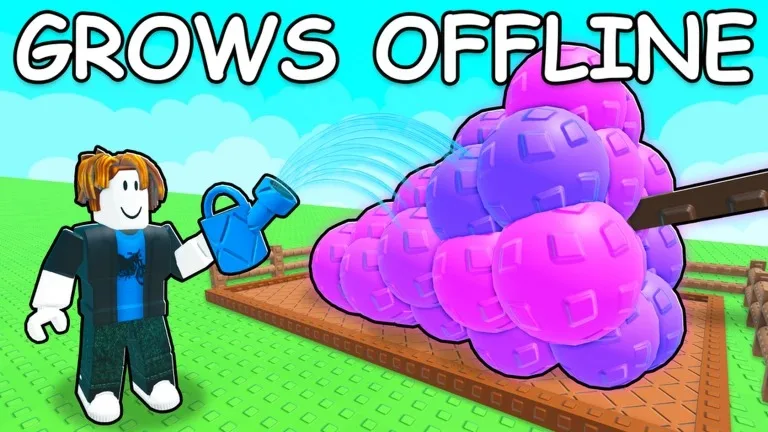
What Is Grow a Garden 2 Script?
Grow a Garden 2 Script is a custom Lua script developed by third-party creators for the Roblox game Grow a Garden 2. It runs through a Roblox executor and provides automation features that help players manage crops, collect rewards, purchase upgrades, and maintain their farms more efficiently.
Instead of manually planting seeds, harvesting crops, watering plants, and collecting rewards, the script automates many gameplay activities, allowing players to focus on expanding and improving their farms.
Most versions include a user-friendly graphical interface that allows players to customize and manage features easily.
Download & Copy All Grow a Garden 2 Script (2026)
Ronix Hub
loadstring(game:HttpGet("https://api.luarmor.net/files/v4/loaders/030c18901831a9df3ddf3b8bce0bf9cb.lua"))()Ronix Hub
onix:loadstring(game:HttpGet("https://api.luarmor.net/files/v3/loaders/fda9babd071d6b536a745774b6bc681c.lua"))()No key:_G.AutoTranslate = false
_G.SaveConfig = true
loadstring(game:HttpGet("https://raw.githubusercontent.com/Dev-BlueX/BlueX-Hub/refs/heads/main/Main.lua"))()
Ajjans Hub
loadstring(game:HttpGet("https://api.luarmor.net/files/v4/loaders/359e97f8618e9008afe5f496184ebb7c.lua"))()Grow a Garden 2 Script – Spawn Pets & Seeds
loadstring(game:HttpGet("https://raw.githubusercontent.com/scripteredwinter/scripts/refs/heads/main/gag2spawner"))()Features Of Grow a Garden 2 Script
- Auto Collect
- Auto Plant
- Auto Harvest
- Auto Sell
- Auto Buy
- Auto Water
- Auto Rejoin
- Auto Claim
- Teleport
- Anti AFK
- Auto Upgrade
- Auto Farm
- Auto Collect Rewards
- Auto Plant Seeds
- Auto Purchase Items
- Auto Progression
- Fast Farming
- Easy GUI
- Performance Optimization
- Custom Settings
Why Players Search For Grow a Garden 2 Scripts
Grow a Garden 2 focuses heavily on farming, harvesting, collecting rewards, and upgrading farms. Many players search for scripts because they want:
- Faster progression
- Easier farming
- Reduced grinding
- Automatic harvesting
- Faster crop growth
- Better resource management
- Automatic reward collection
- Improved AFK progression
- More convenience features
- Simplified gameplay
These reasons contribute to the popularity of scripting discussions within Roblox communities.
Benefits Commonly Advertised
- Faster farming
- Easier harvesting
- Reduced repetitive gameplay
- Better farming efficiency
- Faster progression
- Improved reward collection
- Automatic resource management
- Convenient automation tools
- Enhanced gameplay experience
- Long-term progression support
The effectiveness of these features depends on the script version and game updates.
How to Use Grow a Garden 2 Script
Running a script usually follows a simple process.
- Open Roblox.
- Join the Grow a Garden 2 game.
- Launch a Roblox executor tool.
- Copy the script from the official website.
- Paste the Grow a Garden 2 Script into the executor.
- Click on the Execute button.
- Wait for the GUI menu to appear.
- Enable the features you want to use.
Most versions provide a dashboard where players can customize settings and activate different functions.
Supported Executors
Android
- Delta
- Hydrogen
- Fluxus
- Arceus X
- Codex
iOS
- Delta iOS
- Arceus iOS
- Codex iOS
PC
- Xeno
- Wave
- Velocity
- Krnl
Compatibility may vary depending on updates and platform support.
Why Grow a Garden 2 Is Popular
Grow a Garden 2 has become popular because it expands upon the original farming experience with more content, upgrades, and progression systems.
Players enjoy:
- Planting crops
- Harvesting resources
- Unlocking upgrades
- Expanding farms
- Collecting rewards
- Managing resources
- Discovering new items
- Completing objectives
- Progression systems
- Long-term advancement
The combination of farming, collecting, and progression keeps players returning every day.
Frequently Asked Questions (FAQs)
What is a Grow a Garden 2 Script?
A Grow a Garden 2 Script is a custom Lua script developed for the Roblox game Grow a Garden 2. It is designed to automate farming activities such as planting seeds, harvesting crops, collecting rewards, earning currency, and managing resources more efficiently.
Is a Grow a Garden 2 Script easy to use?
Most versions include a simple graphical interface that allows players to enable and disable features without requiring coding knowledge.
Do I need to complete a key system?
Some versions are keyless, while others may require completing a key system before access is granted.
Which executor is best for running the script?
Popular executors commonly advertised for compatibility include Delta, Hydrogen, Fluxus, Arceus X, Codex, Xeno, Wave, Velocity, and Krnl.
Can I use the script on mobile devices?
Some versions support Android and iOS executors, although compatibility depends on the executor and script version being used.
What does Auto Plant do?
Auto Plant automatically places seeds into available farming plots without requiring manual interaction.
What does Auto Harvest do?
Auto Harvest automatically collects mature crops when they are ready, helping players earn rewards more efficiently.
Is it safe to use a Grow a Garden 2 Script?
Players should understand that third-party scripts may involve security risks, compatibility issues, and potential account-related consequences.
Conclusion
Grow a Garden 2 Script is a Lua-based Roblox automation tool commonly associated with features such as Auto Collect, Auto Plant, Auto Harvest, Auto Sell, Auto Buy, Auto Water, Auto Rejoin, Auto Claim, Teleport, Anti AFK, Auto Upgrade, and Auto Farm. These features are designed to automate repetitive farming activities and help players progress more efficiently.
Whether you’re trying to harvest crops faster, expand your farm, collect rewards, or improve your overall farming efficiency, Grow a Garden 2 remains one of Roblox’s most enjoyable farming experiences, offering players a rewarding combination of progression, collecting, upgrading, and long-term growth.