Find Who Slapped Script
Find Who Slapped Script is a newly released Lua-based Roblox script designed to help players identify attackers, improve reaction speed, and enhance their overall gameplay experience in the popular Find Who Slapped game. With advanced automation features and player detection tools, this script helps players survive longer, react faster, and gain a competitive advantage during matches.
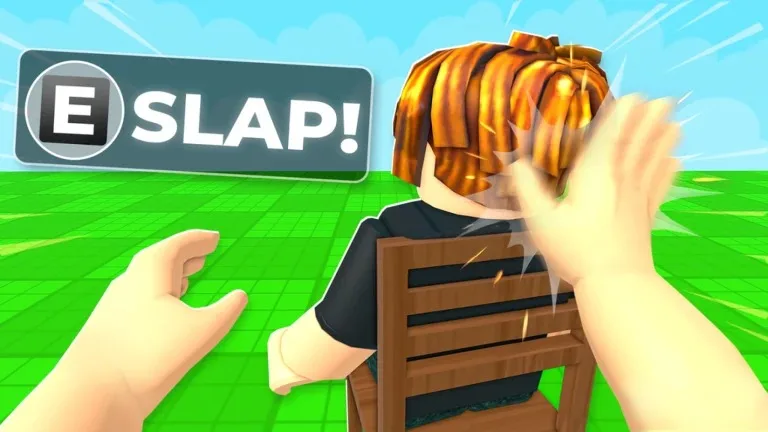
Find Who Slapped is a unique Roblox experience where players must determine who slapped them while navigating a chaotic environment filled with unexpected interactions and challenges. Success often depends on quick reactions, awareness, and the ability to identify opponents. This script simplifies many of these tasks through automation and visual assistance features.
The latest Find Who Slapped Script includes features such as Auto Hit, Auto Dodge, Slap Detection, Attacker Highlight, ESP, Teleport, Notify Who Slapped, and many additional functions designed to improve gameplay efficiency.
Table of Contents
What Is Find Who Slapped Script?
Find Who Slapped Script is a custom Lua script specifically created for the Roblox game Find Who Slapped. The script runs through a Roblox executor and provides players with a feature-rich graphical interface that offers various automation tools and gameplay enhancements.
Instead of manually searching for attackers and constantly monitoring nearby players, the script helps automate detection systems and improve awareness. This allows players to react more quickly and focus on enjoying the game.
Most versions are updated regularly to remain compatible with Roblox updates and game patches.
Download & Copy All My Knife Farm Script (2026)
Find Who Slapped Script
loadstring(game:HttpGet("https://raw.githubusercontent.com/LynX99-9/komtolmmek2/refs/heads/main/Find%20Who%20Slapped"))()Features Of Find Who Slapped Script
- Auto Hit – Automatically performs attacks when conditions are met.
- Auto Dodge – Helps avoid incoming attacks and dangerous situations.
- Slap Detection – Detects slap interactions and identifies important events.
- Attacker Highlight – Highlights players who recently attacked you.
- ESP – Displays useful information about nearby players and targets.
- Teleport – Instantly move to different locations around the map.
- Notify Who Slapped – Sends notifications showing which player performed a slap.
- Player Tracking – Helps monitor nearby players and movements.
- Fast Reaction Tools – Improves awareness during active gameplay.
- Anti AFK – Prevents inactivity disconnections during long sessions.
- Simple GUI Interface – Easy-to-use dashboard with customizable settings.
- Performance Optimization – Improves gameplay efficiency and responsiveness.
- Customization Options – Allows players to adjust script settings according to their preferences.
Why Players Use Find Who Slapped Script
Many players use Find Who Slapped Script because identifying attackers and reacting quickly can be challenging during fast-paced matches.
Features such as Attacker Highlight and Notify Who Slapped help players immediately identify opponents, while ESP provides additional awareness of nearby players. Auto Dodge and Auto Hit further improve gameplay by automating certain actions and reactions.
The script is especially useful for players who want better awareness and a more convenient gameplay experience.
Benefits Of Using the Script
The script offers several advantages:
- Faster attacker identification
- Improved player awareness
- Easier navigation
- Reduced manual tracking
- Better reaction speed
- Enhanced gameplay efficiency
- Convenient automation tools
- Improved match performance
- Better overall gameplay experience
These features help players react more effectively and enjoy smoother gameplay.
How to Use Find Who Slapped Script in Roblox
Running a script usually follows a simple process:
- First of all, open Roblox.
- Join the Find Who Slapped game.
- Launch a script executor tool.
- Copy the script from the official website of Find Who Slapped Script.
- Paste the Find Who Slapped Script into the executor.
- Click on the execute button.
- Wait for the GUI menu to load.
- Enable features such as Slap Detection, ESP, or Attacker Highlight.
Most script versions provide a simple dashboard where all features can be activated or disabled with a single click.
Supported Executors
The script is commonly compatible with popular Roblox executors, including:
- Delta Executor
- KRNL
- Fluxus
- Wave
- Xeno
- Hydrogen
- Arceus X
- Synapse X
Compatibility may vary depending on updates and platform support.
Frequently Asked Questions (FAQs)
What is the Find Who Slapped Script?
Find Who Slapped Script is a Lua-based Roblox script designed to enhance gameplay by providing attacker detection, player tracking, automation tools, and awareness features within the Find Who Slapped game.
Does the script get updates?
Yes. Most script developers regularly update their scripts to maintain compatibility with Roblox updates and game changes.
Can I customize the script settings?
Yes, many versions include customization options that allow players to adjust settings such as notifications, tracking features, visual options, and other script functions.
Can I use the script on mobile?
Some executors support Android and iOS devices, allowing the script to run on mobile platforms. However, PC generally provides better performance and compatibility.
What executor should I use?
Popular options include Delta Executor, KRNL, Fluxus, Wave, Xeno, Hydrogen, Arceus X, and Synapse X. The best choice depends on your device and operating system.
Is it safe to use?
No third-party script can be considered completely risk-free. Players should only download scripts from trusted sources and understand the potential risks associated with external tools.
What does Attacker Highlight do?
Attacker Highlight visually marks players who recently attacked you, making it easier to identify opponents during gameplay.
What is Slap Detection?
Slap Detection monitors slap interactions and helps identify important events occurring around your character.
Does the script require coding knowledge?
No. Most versions include a user-friendly graphical interface that allows players to activate features without any programming experience.
Does the script work after game updates?
Most scripts receive updates when the game changes, but there may be temporary periods where compatibility fixes are required.
Conclusion
Find Who Slapped Script is a powerful Lua-based Roblox automation and awareness tool designed to improve player tracking, attacker detection, and overall gameplay efficiency. With features such as Auto Hit, Auto Dodge, Slap Detection, Attacker Highlight, ESP, Teleport, and Notify Who Slapped, players can significantly improve their awareness and responsiveness during matches.
The script is especially useful for players who want faster attacker identification, improved tracking capabilities, and a smoother gameplay experience. Its simple interface and wide range of utility features make it suitable for both beginners and experienced Roblox players.
Whether you’re trying to identify attackers faster, improve reaction speed, track opponents more effectively, or simply enjoy a more enhanced gameplay experience, Find Who Slapped Script provides a variety of useful tools designed to improve your overall experience in the game.